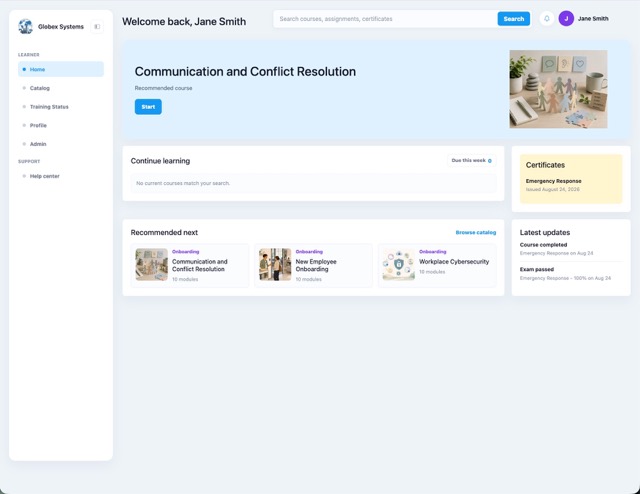
AI LMS for workplace training

Our AI handles the structure, quizzes, and continuous improvements so you can focus on teaching, not typing and manually maintaining question banks.

Book Demo
Brainificent AI LMS

HR & Compliance

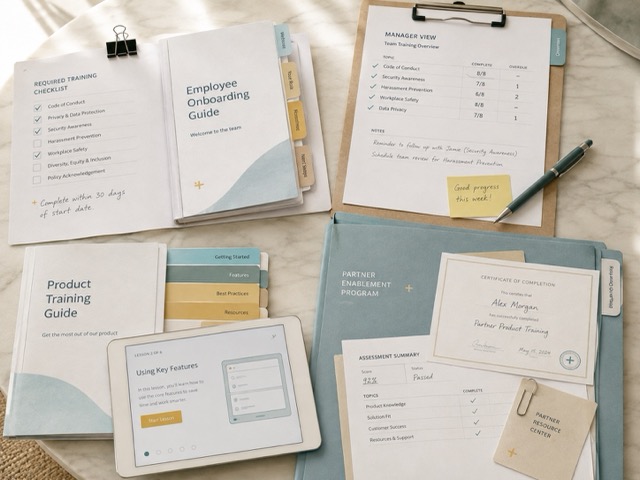
Create required employee training from policies, SOPs, manuals, onboarding guides, safety procedures, cybersecurity material, and internal documents.

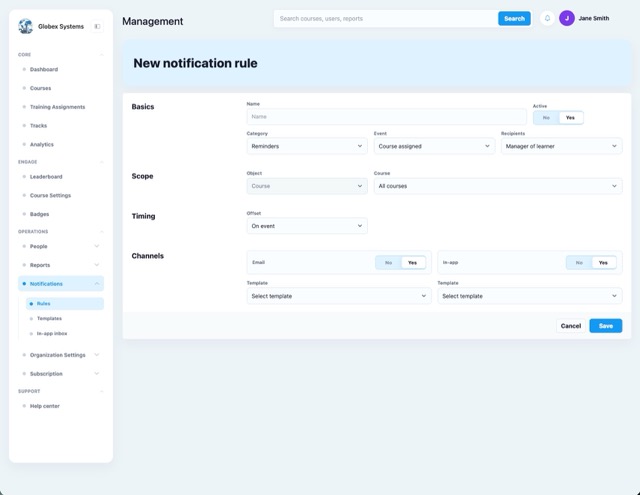
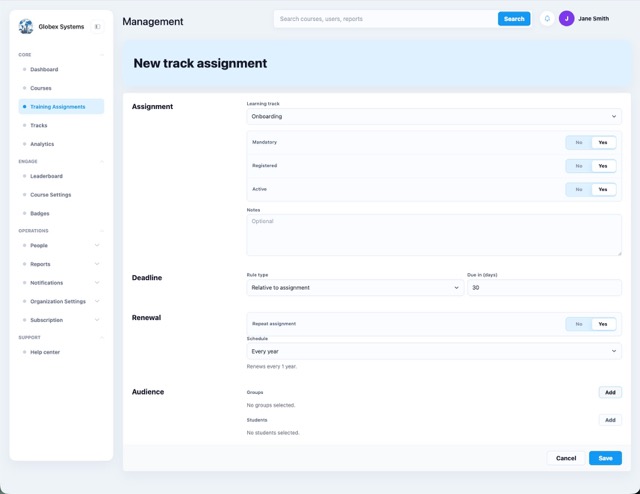
Brainificent helps HR and operations teams turn existing content into structured courses, assign it to employees, track completion, send reminders, generate reports, and keep proof of completion.

Certification Programs

Build structured certification programs with lessons, quizzes, exams, secure testing options, passing scores, and branded certificates.

Brainificent helps organizations create programs where learners must complete training, pass required checks, and receive proof of completion.

Course Creators

Create online courses from your own content and make them available to learners.

Brainificent helps you organize your material into structured lessons, add quizzes and exams, track learner progress, issue certificates, and manage course access.

Why Choose Brainificent LMS

Create courses with your content and AI

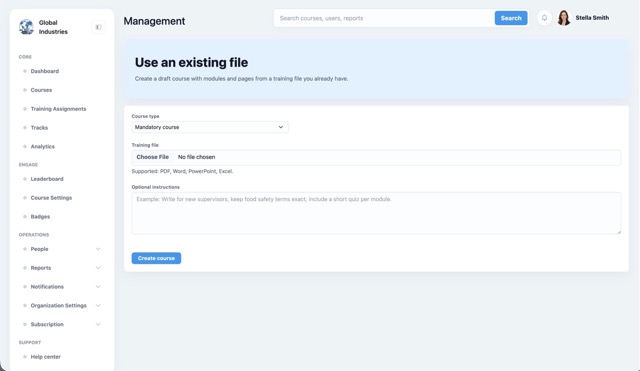
Start from your existing documents, slide decks, or courses. Brainificent’s AI can turn them into a structured course with modules and quizzes, which you can review and adjust as needed.

Brainificent course creation screen

Predefined course flows

Use predefined setups for mandatory and compliance courses, creator courses, and certification programs. Each flow comes with sensible default settings that you can review and change at any time.

Brainificent predefined course flows

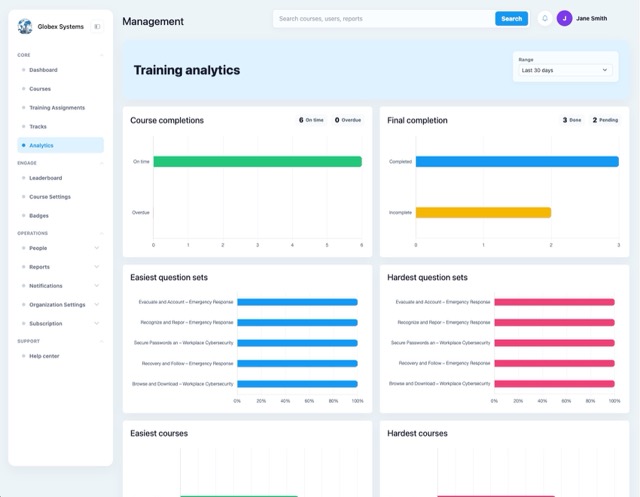
Analytics insights

See how learners perform across quizzes, modules, and courses in one place. Spot difficult questions, low-completion modules, and trends over time so you know what to improve next.

Brainificent analytics dashboard

Security and roles

Control who can see and change courses, users, and reports. Use security groups and admin roles to separate responsibilities and keep sensitive data limited to the right people.

Brainificent security groups screen

Compliance reports

Track required training by employee, team, course, due date, completion status, and exam result. Brainificent helps HR identify overdue learners, confirm completed training, and keep clear records for internal reviews or compliance checks.

Brainificent compliance reporting screen

AI that improves every course

Your LMS should not just host courses. It should help you make them better. Brainificent reviews your quizzes and course content, identifies weak spots, and suggests improvements automatically.

Brainificent course quality improvement screen

Mandatory training is hard to track manually

HR needs to know who was assigned training, who completed it, who is overdue, and where the certificate or completion record is stored. When that information is split between spreadsheets, email threads, and folders, the records become harder to trust.

Typical manual setup

01
Spreadsheet Completion status updated after the fact HR waits for managers or learners to confirm what happened.
02
Email Follow-up handled one person at a time Reminder threads become the tracking system.
03
Folder Certificates stored away from the learner record Proof exists, but it is not connected to the assignment.
04
Report Status rebuilt when someone asks Completion, overdue training, scores, and certificates need to be matched again.
The HR problem is record control: assignments, due dates, completion status, certificates, and follow-up need to match.

Compliance training administration

Brainificent keeps the main HR records connected: course assignments, due dates, learner status, test results, certificates, and completion history.

01

Assign by group

Assign required courses to specific teams, roles, departments, or employee groups.

02

Review overdue training

See which learners are complete, overdue, or still in progress before reporting dates.

03

Record test results

Use quizzes or final exams when HR needs a score or pass/fail result attached to the course.

04

Keep completion evidence

Store completion dates, scores, certificates, and course history with the learner record.

Brainificent vs. traditional LMS platforms

Most LMS platforms are strongest after training content is already prepared. Brainificent is built for the work before and after delivery: turning source material into courses, assigning training, checking results, and keeping records usable.

Traditional LMS workflow with manual setup
Brainificent training analytics screen
01

Traditional LMS platforms usually wait for finished courses.

The admin still has to prepare lessons, quizzes, slides, exams, and supporting material before the LMS becomes useful.

Brainificent starts with the material the company already has.

Upload policies, manuals, SOPs, documents, or slides and use them to create modules, lesson pages, quizzes, and final exams.

02

Compliance tracking often becomes a side process.

HR may still chase overdue training through exports, email reminders, calendar notes, and manager follow-up.

Brainificent treats compliance as a reporting workflow.

Assigned courses, due dates, completion status, final test results, and overdue learners stay visible for follow-up and review.

03

Testing is often built after the course structure.

Questions, passing scores, attempts, time limits, certificates, and testing rules become another setup task.

Brainificent connects course content with assessment.

Build quizzes and exams from the course, review the questions, adjust passing rules, and issue certificates when requirements are met.

04

Published courses can sit unchanged for too long.

Weak questions, unclear lessons, and outdated sections are easy to miss when reporting only shows completion.

Brainificent uses learner results to improve training.

Review hard questions, failed attempts, completion patterns, and course performance to decide what should be rewritten or regenerated.

Frequently asked questions

What is Brainificent?

Brainificent is an AI-powered learning platform that helps organizations create, deliver, and track training. It is designed for compliance, onboarding, and internal skill development.

Who is Brainificent for?

It is built for HR teams, operations leaders, compliance managers, and training owners who need consistent training at scale, without heavy manual work.

How do I create a course in Brainificent?

You upload your documents, select a course format, and Brainificent generates a clean structure. You can then edit, reorder, and publish.

What can I upload to build training?

Policies, SOPs, manuals, handbooks, and slide decks. You can use one source or combine several documents into one course.

Does Brainificent generate quizzes and exams?

Yes. It can generate quizzes and assessments based on your content. You can edit questions, regenerate items, and adjust difficulty.

How do you ensure questions match the learning content?

Brainificent can map questions back to specific slides or sections. This helps you confirm coverage and reduce questions that are not supported by the course.

Can I reduce cheating on certification tests?

Yes. Secure testing options can include time limits, randomized question pools, answer shuffling, activity logging, webcam monitoring, and screenshots captured at set intervals.

Can I assign training and track completion?

Yes. You can assign courses to individuals or groups, set due dates, send reminders, and track progress in reporting.

Is Brainificent suitable for small teams and large organizations?

Yes. It works for small teams that need simple compliance tracking, and it scales for organizations that manage multiple groups, locations, or programs.

Ready to Upgrade Your LMS?

Stop manually building courses. Start teaching. Join the organizations using Brainificent to power their training.